Retail ecommerce
October 30, 2026 · 7 min read
Walmart’s Free Brand Tools, and Who They’re Really For
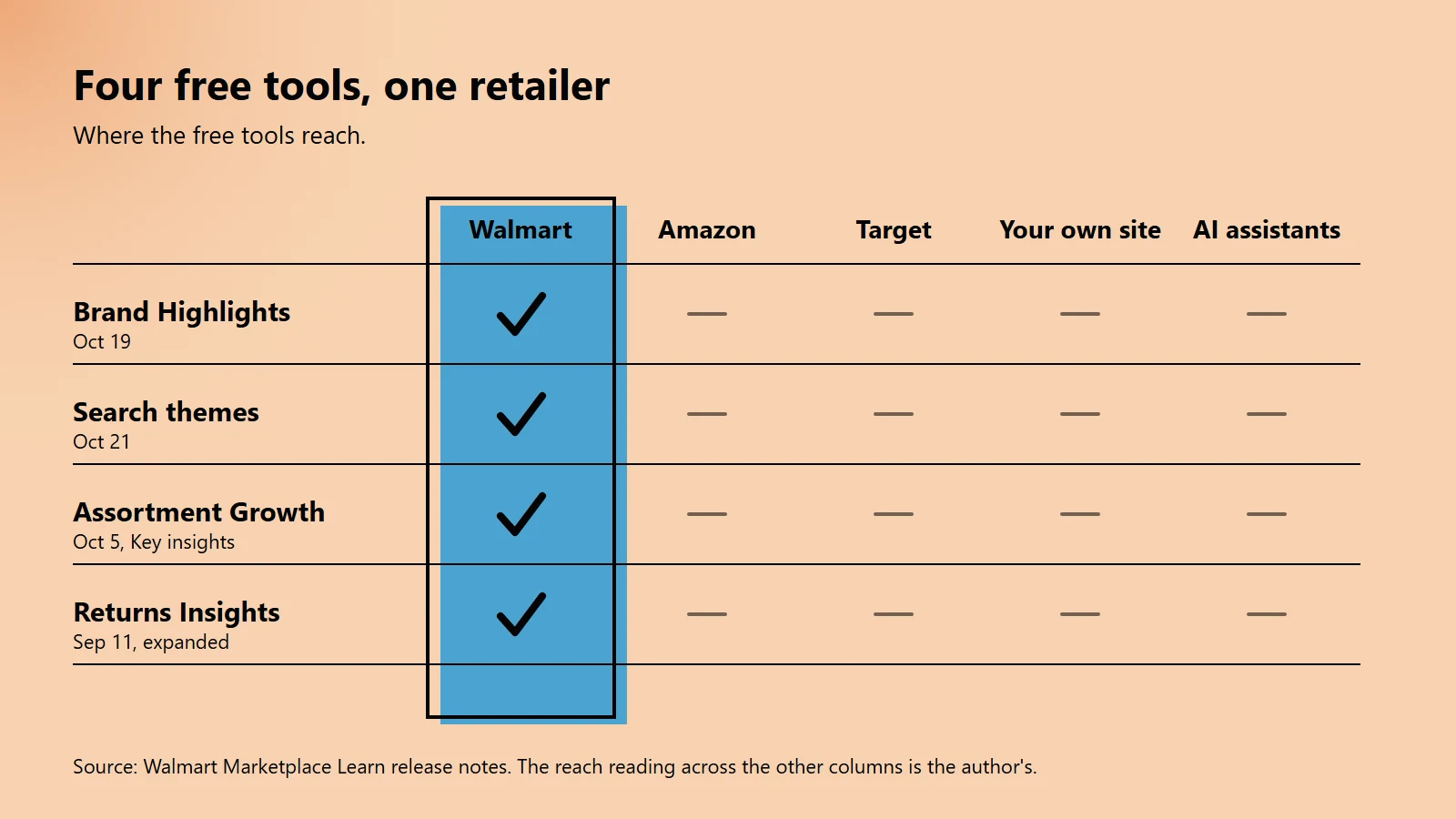
On September 11, Walmart gave sellers a fuller view of why customers send items back. On October 5, it began explaining its item recommendations. On October 19, it let brands build their own product-page content. On October 21, it started sorting shopper searches by the need behind them.
Four gifts in about five weeks. Not one of them has a price.
Most people would call that good news, and it may be. But it raises a question I can’t stop turning over. Retailers do not usually hand out, on a schedule, the very things brands used to pay vendors to provide. So what is Walmart getting in return?
The answer decides how a brand should accept the gift. This piece covers what Walmart released, what none of the tools can do, whose interest they serve, and what a smaller brand should try first.
What each release does
Start with the three that overlap paid work. Brand Highlights arrived October 19. Eligible brand owners combine images, video and text to tell the brand story and add product information on the product detail page. It is self-service in Seller Center, and one build can be applied to up to 500 items at once, then revised later. Walmart says it can help customers understand the brand and the product and can lift conversion [1]. That claim is Walmart’s, with no data attached, and the release notes never define “eligible.”
Search themes followed on October 21. Search insights now groups related customer searches by a shared need. An “All search themes” page shows the keywords, their frequency ranks, trending queries and the top competing items [1]. Instead of a flat list of terms, you see the need behind them, and who is winning it.
Key insights for the Assortment Growth tool came on October 5. The tool already recommended items. Now it says why an item is recommended, points to relevant trends and suggests a next best action. You can set up a recommended item from the dashboard [1].
The release notes don’t say whether every seller gets all three. Open your own Seller Center before you plan around them.
The fourth is Returns Insights, expanded on September 11. It combines return and refund metrics, return reasons, item-level detail with ratings and reviews, and category-rule recommendations [1][2]. Return reasons such as “not as pictured” point back at the product page as often as at the product. It is, in effect, a content audit you didn’t pay for.
Each of the four overlaps work that used to be billed. Together they look less like a feature and more like a direction.
What each one replaces, and what it can’t
Here is the table I would want on my desk. The “can’t do” column is my read, not Walmart’s.
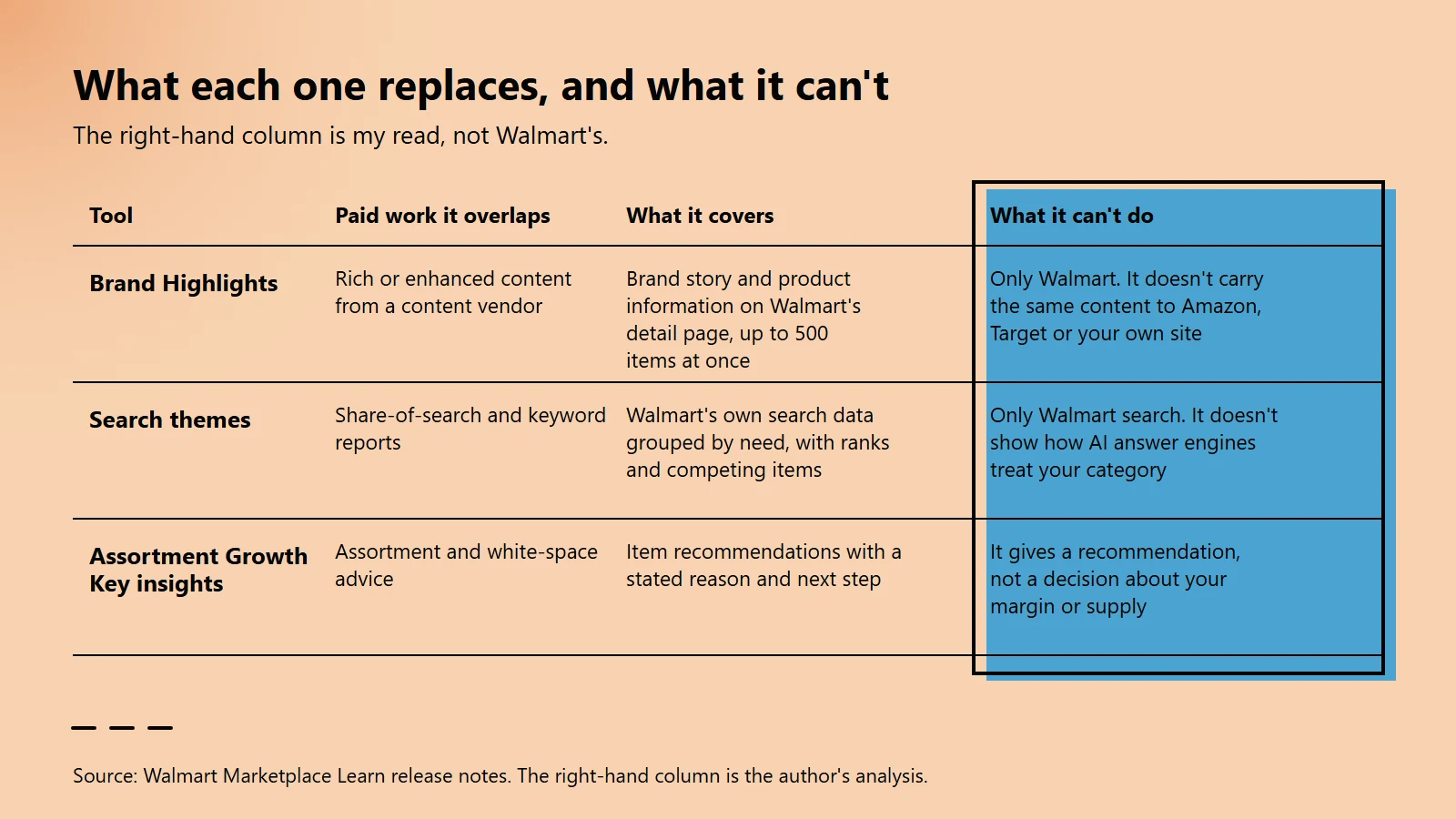
Three limits run down that right-hand column.
The first is one retailer. Every tool sees Walmart and only Walmart. If you also sell on Amazon, Target and your own site, you still have to build and compare those views somewhere else.
The second is one kind of search. Search themes covers searches on Walmart.com. More shoppers now ask an AI assistant first, and nothing in these releases tells you whether those assistants name your product.
The third is data, not decisions. A ranked list of competing items tells you where the demand is. It doesn’t tell you which fight to take.
The answer to the question at the top
So what is Walmart getting in return?
Walmart’s recommendations serve Walmart’s assortment. That is not a criticism; it is how a retailer’s tool works. When Assortment Growth suggests an item, it reflects what Walmart wants more of on its shelf. And Walmart sees every brand’s sales, not only yours.
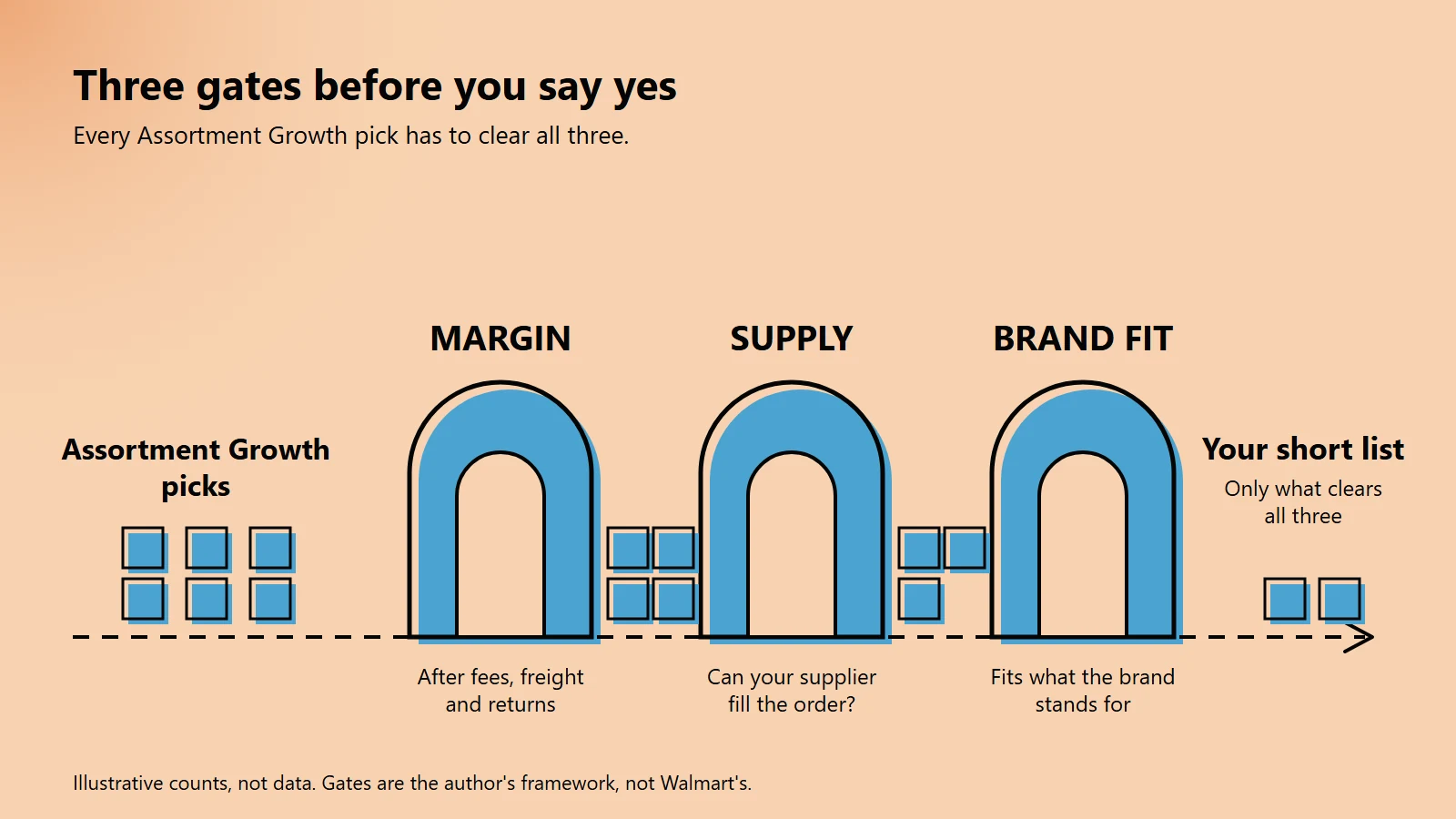
Your interests overlap with Walmart’s but are not the same. A recommended item may sell well and still lose money after fees, freight and returns. It may need a minimum order your supplier won’t fill. It may pull sales from a product you make more on, or sit outside what your brand stands for.
This is the whole idea of the piece, so let me say it plainly. The gift is real, and so is the giver’s interest, and both can be true at once. A recommendation is a demand signal. It becomes a decision only after it passes three checks: margin, supply, and fit with the brand plan. If it fails any one, pass.
What a smaller brand should do first
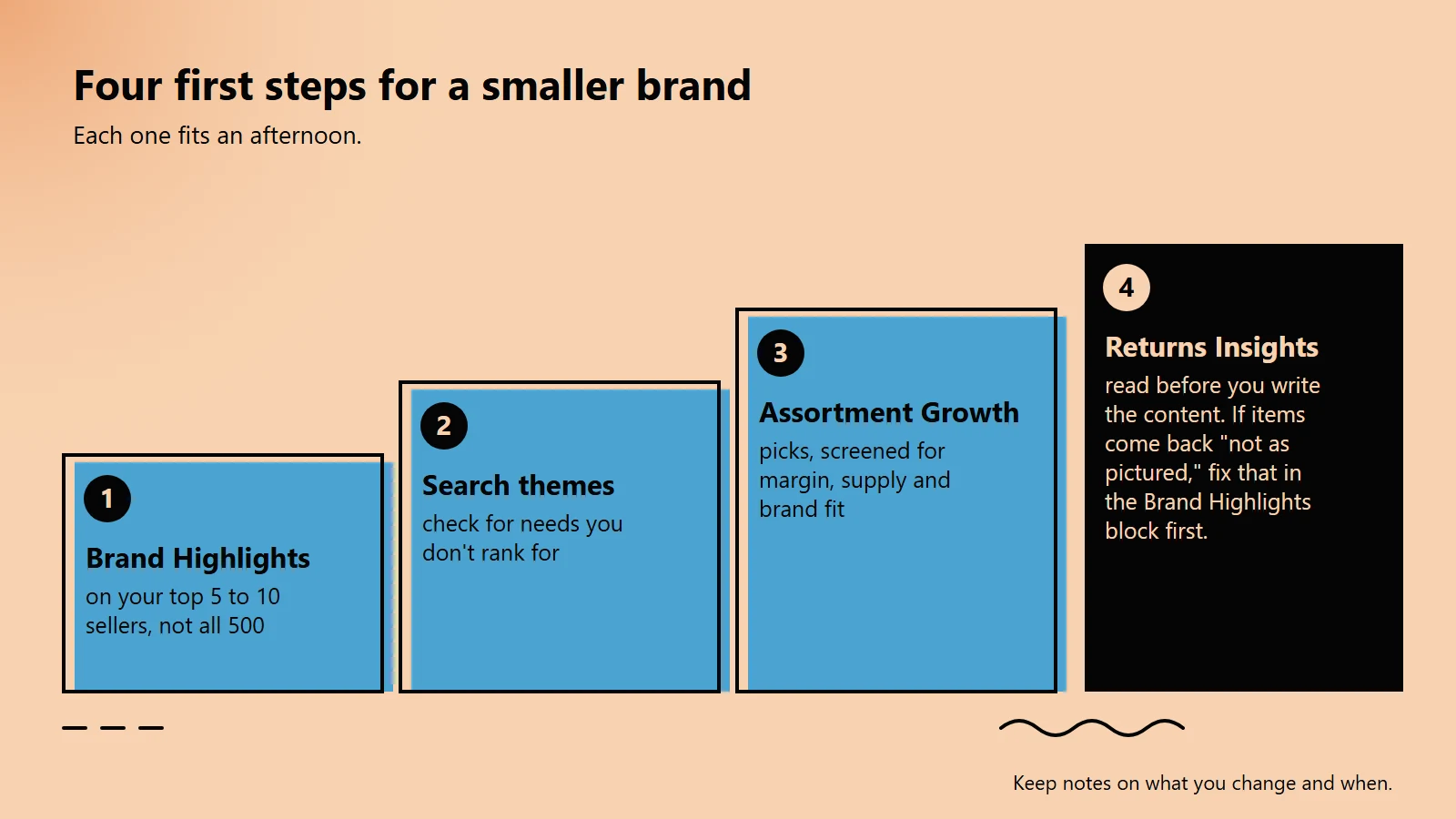
You don’t need all of it in week one. If your brand is bootstrapped and sells a few dozen items, here is a sequence that fits an afternoon each.
- Brand Highlights on your top sellers. Start with the five to ten items that bring in most of your revenue, not the 500-item maximum. Put the clearest proof first: what the product is, who it is for, and one reason to choose it over the next item. Then compare how those pages convert against the ones you left alone.
- A Search themes check for needs you don’t rank for. Find themes where shoppers search often and your items aren’t among the top competing items. Some will be gaps worth filling. Some will be needs your product doesn’t serve, which is also worth knowing.
- Assortment Growth picks, screened against margin. Run each recommendation through the margin, supply and brand-fit check, and keep the short list that survives.
- Returns Insights before the content. If shoppers return an item as “not as pictured,” fix that in the Brand Highlights block first.
And keep notes on what you changed and when. Free tools make it easy to change a lot at once, and hard to learn anything afterward.
Where paid help still earns its keep
It is tempting to read all this as the end of the vendor. I don’t think it is.
Content vendors, including syndication platforms, cover many retailers, and Walmart’s tool covers one. A brand on five retail sites still needs content, specs and images kept consistent across all of them, and a free Walmart-only tool doesn’t do that.
Paid help still earns its fee in three places. Cross-retailer views: comparing your position on Walmart, Amazon and Target, side by side, on the same measures. AI visibility: knowing whether answer engines and shopping agents find and choose your products, which depends on your listings, your own site and what others say about you. And deciding what to do with the data: more free data raises the value of someone who can say which three things matter this quarter.
So the honest read is this. The cheapest part of the work just got cheaper at one retailer. Judgment and coverage did not.
If you want a second set of eyes
I have 30+ years in retail marketing, including time inside Walmart, and I founded and sold a digital-shelf analytics company. If you’d like help deciding what these tools mean for your brand, which items to put first, which recommendations to pass on, and where the gaps sit outside Walmart, shoot me an email at dale@daletreece.com or book a call here.
The tools are free. Deciding what they mean isn’t.
Dale Treece | Retail Ecommerce Strategy
Sources
- Walmart Marketplace Learn: release notes (Brand Highlights, October 19, 2026; Search themes, October 21, 2026; Assortment Growth Key insights, October 5, 2026; Returns Insights expansion, September 11, 2026).
- Ordoro: Walmart Returns Insights gives sellers more data (September 24, 2026).
The table’s “can’t do” column, the whose-interest section, the first-steps sequence, the three-gate screen and the vendor comparison are my analysis, not Walmart’s statements. The counts in the gate graphic are illustrative.